
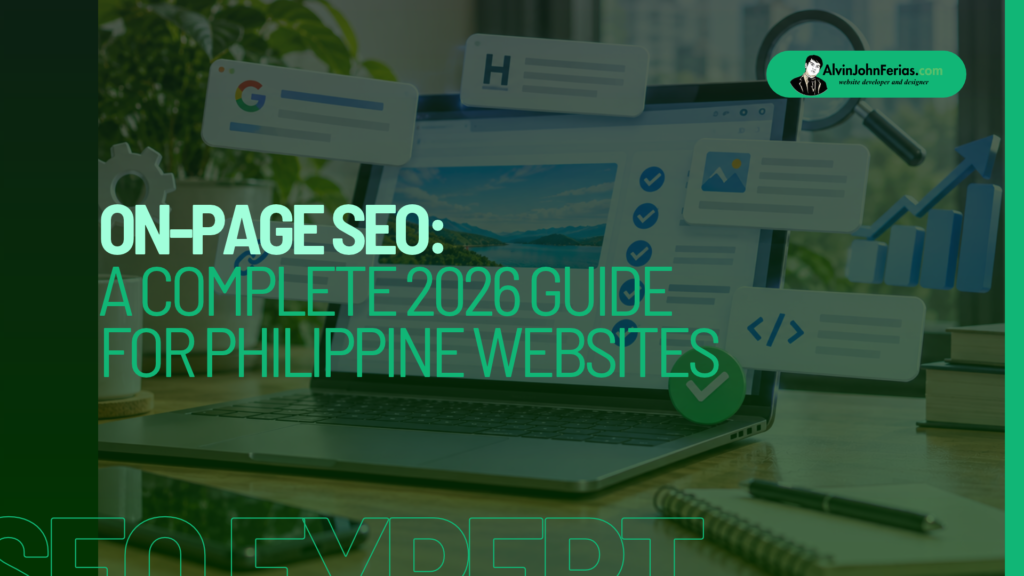
On-page SEO is the work you do on each page of your website so search engines and AI tools understand what it’s about and choose it as the best answer. It’s the part of SEO you control completely. You don’t need anyone’s permission to rewrite a title, add a better heading or answer a customer’s question more clearly, and that’s why it’s usually the fastest place to win rankings.
In more than 15 years of SEO work for Philippine and international clients, I’ve seen pages jump from page two to page one after nothing more than a better title, clearer headings and a few internal links. I’ve also seen beautiful websites rank for nothing because every page was missing the basics. This guide covers the on-page checklist I use on client sites, updated for 2026, when your pages need to work for Google, Google Maps and AI tools like ChatGPT, Gemini and Google AI Overviews.
Quick Answer: What Is On-Page SEO?
On-page SEO is the practice of optimizing the content and HTML of individual web pages so they rank higher and attract more relevant visitors. The main on-page SEO elements are:
- Title tag: the clickable headline in search results.
- Meta description: the short summary under the title.
- Headings (H1 to H3): the structure that tells readers and search engines what each section covers.
- Content: helpful, original text that fully answers the searcher’s question.
- Internal links: links that connect related pages on your site.
- Images: compressed files with descriptive alt text.
- URL: short, readable and keyword-focused.
- Schema markup: structured data that describes the page to search engines and AI tools.
Get these eight right on your most important pages, and you’ll often see ranking changes within weeks of Google recrawling them.
On-Page vs Off-Page vs Technical SEO
SEO has three main parts. They work together, but each one answers a different question:
| Type | Main question | Examples | Who controls it |
|---|---|---|---|
| On-page SEO | Is this page the best answer? | Titles, headings, content, internal links, images, schema | You, fully |
| Technical SEO | Can search engines access and render the site? | Crawling, indexing, speed, mobile usability, HTTPS | You and your developer |
| Off-page SEO | Do other people trust this site? | Backlinks, reviews, brand mentions, citations | Partly others |
A common mistake is jumping straight to backlinks before the pages themselves are ready. Links pointing to a weak page don’t help much. Fix on-page SEO first, make sure the technical basics work, then build authority. My technical SEO checklist and link building guide cover the other two parts.
Why On-Page SEO Matters More in 2026
Three changes have made on-page SEO more important, not less:
- AI answers quote pages directly. Google AI Overviews, ChatGPT and Gemini pull short passages from well-structured pages. Clear headings and direct answers make your page easier to quote.
- Google rewards helpful, people-first content. Thin pages written only to target a keyword struggle. Pages that show real experience and fully answer the question do well.
- Mobile-first readers skim. Most Filipino searchers are on phones. Short paragraphs, clear headings and visible calls to action keep them on the page long enough to contact you.
The good news for small businesses is that on-page SEO costs time, not money. A business owner who knows their customers can often write better on-page content than an agency that doesn’t.
The On-Page SEO Checklist: 12 Elements to Optimize
Work through this on-page SEO checklist one page at a time, starting with your homepage, main service pages and best-performing blog posts.
1. Choose One Primary Keyword per Page
Every important page should target one main keyword and a few close variations. Two pages targeting the same keyword compete with each other, which is called keyword cannibalization. Map your keywords to pages before you start writing. My local keyword research guide shows how.
2. Write a Title Tag That Earns the Click
The title tag is the most important on-page element. Put the main keyword near the start, keep it to roughly 50 to 60 characters so it isn’t cut off, and give people a reason to click: a year, a location, a benefit or a number. Google may rewrite titles it thinks don’t match the page, so keep them accurate. Google explains how it chooses title links.
| Weak title | Better title |
|---|---|
| Home | Aircon Cleaning in Imus, Cavite · Same-Day Service |
| Services | Dental Braces in Quezon City: Prices and Payment Plans |
| Blog Post 12 | How Much Does SEO Cost in the Philippines? (2026) |
3. Write a Meta Description That Sells
Meta descriptions don’t directly affect rankings, but they affect clicks. Write about 140 to 160 characters that summarize the page, include the keyword naturally and end with a reason to act. Google may show its own snippet instead, but a good description is still your best pitch.
4. Use One H1 and Logical Subheadings
Each page should have one H1 that states the topic, usually close to the title tag. Use H2s for main sections and H3s for subsections. Headings written as questions, like “How much does it cost?”, work well for both featured snippets and AI answers.
5. Answer the Question in the First 100 Words
Put your main keyword and a direct answer near the top. Readers and AI tools both decide quickly whether a page is useful. Then go deeper with details, examples, prices, steps and FAQs.
6. Write Helpful, Original Content
This is where most pages win or lose. Strong content:
- Covers the topic more completely than the pages already ranking.
- Shows first-hand experience: real photos, client results, local details and your own opinions.
- Uses simple language and short paragraphs.
- Is updated when prices, rules or facts change.
Google calls these qualities experience, expertise, authoritativeness and trustworthiness (E-E-A-T). For Philippine businesses, local detail is a big advantage: barangays you serve, delivery times by area, payment options like GCash and COD, and prices in pesos.
7. Use Keywords Naturally
Include the main keyword in the title, H1, first paragraph, at least one subheading and a few times in the body. Use synonyms and related terms everywhere else. Keyword stuffing, meaning repeating the same phrase unnaturally, hurts readability and can hurt rankings.
8. Add Internal Links With Clear Anchor Text
Internal links help Google find pages and understand how they relate. Link every blog post to the relevant service page, and link service pages to supporting guides. Use descriptive anchor text, like “aircon cleaning prices in Cavite,” instead of “click here.”
9. Optimize Images
- Compress images and use WebP where possible.
- Use descriptive file names, like aircon-cleaning-imus.webp, not IMG_2045.jpg.
- Write alt text that describes the image and, where it fits naturally, includes the keyword.
- Set image width and height to prevent layout shifts.
10. Keep URLs Short and Descriptive
Use lowercase words separated by hyphens: /aircon-cleaning-cavite/ instead of /?page_id=482. Decide URLs before publishing, because changing them later needs 301 redirects.
11. Add Schema Markup
Schema markup tells search engines and AI tools exactly what the page is: a business, a service, an article, a product or a set of FAQs. Common types are LocalBusiness, Service, Article, FAQPage, Product and BreadcrumbList. On WordPress, Rank Math free handles basic schema. For more detail, paste custom JSON-LD like the example at the end of this post.
12. Make the Page Easy to Act On
On-page SEO isn’t only about rankings. Once visitors arrive, they should know what to do next: call, message, book or buy. Add clear buttons, show trust signals like reviews and certifications near the top, and make contact options visible on mobile. My post on why websites get traffic but no leads covers this in detail.
On-Page SEO for AI Search: AIO and GEO
AI Optimization (AIO) and Generative Engine Optimization (GEO) build directly on on-page SEO. AI tools like ChatGPT, Gemini, Perplexity and Google AI Overviews choose passages they can understand and quote with confidence. These on-page habits make that easier:
- Answer first. Put a 40 to 60 word direct answer right under each question heading, like the Quick Answer at the top of this post.
- Use question-style headings that match how people prompt AI tools: “How much does…”, “What is the best…”, “How long does…”.
- State facts in plain text. Prices, service areas, hours, years in business and credentials should be written out, not hidden in images or sliders.
- Use lists and tables for steps, comparisons and specifications. They’re easy for AI to extract accurately.
- Name the author. Add an author byline and a short bio that links to an About page. It supports E-E-A-T and helps AI tools connect content to a real expert.
- Keep your entity consistent. Use the same business name, address and description on every page and in your schema.
- Cite your sources when you use statistics, and link to the original.
You can test the effect directly. Ask ChatGPT or Gemini the question your page answers, and see whether it cites you or a competitor. Then compare how the cited page is structured. My AI SEO Philippines guide explains AI visibility in more depth.
On-Page SEO for Local Business Pages
For Philippine businesses that serve a city or province, location and service pages need a few extra on-page elements:
- The city or area in the title, H1 and first paragraph, such as “Septic Tank Siphoning in Batangas City.”
- Genuinely local content: areas served, landmarks, travel times, local regulations and photos of local jobs. Avoid copy-pasted city pages with only the city name changed.
- Name, address and phone number that match your Google Business Profile exactly.
- An embedded Google Map on your contact or location page.
- Local reviews and testimonials that mention the area.
- LocalBusiness schema with your address, phone, hours and service area.
These local signals help both Google Maps rankings and AI answers to “near me” style questions.
Example: Optimizing a Local Service Page
Here’s what on-page SEO looks like on a typical Philippine service page. This is a composite example based on the kinds of changes I make on client sites, not a specific client.
| Element | Before | After |
|---|---|---|
| Title tag | Services – ABC Company | Septic Tank Siphoning in Batangas City · 24/7 Service |
| H1 | Our Services | Septic Tank Siphoning in Batangas City |
| First paragraph | “Welcome to our website. We are a trusted company…” | A direct answer: what the service is, areas covered, response time and how to book |
| Content | 120 words, no prices | 900 words with process, price range, service areas, FAQs and job photos |
| Internal links | None | Links to related services, the contact page and a maintenance guide |
| Images | IMG_3021.jpg, 2.4 MB, no alt text | siphoning-truck-batangas.webp, 140 KB, descriptive alt text |
| Schema | None | LocalBusiness, Service and FAQPage |
None of these changes needed new backlinks or a redesign. They simply made the page clearer for searchers, Google and AI tools, which is exactly what on-page SEO is meant to do.
How to Audit One Page in 15 Minutes
You don’t need a full site audit to start. Pick one important page and run through these questions:
- Search Console: what queries does this page already get impressions for? Are they the ones you want?
- Title and meta: do they include the main keyword and give a reason to click?
- H1 and headings: is there one clear H1, and do the H2s cover what searchers want to know?
- First 100 words: does the page answer the main question immediately?
- Content depth: compare it with the top three results. What do they cover that you don’t?
- Links: does the page link to related pages, and do other pages link to it?
- Images and speed: are images compressed and described?
- Schema: does the Rich Results Test find valid structured data?
- Next step: can a mobile visitor call, message or book within one tap?
Fix what you find, request indexing in Search Console, and check the page’s impressions and clicks again in four weeks. Repeating this on-page SEO routine for one page a week adds up quickly.
Tools for On-Page SEO
| Tool | Cost | What to use it for |
|---|---|---|
| Google Search Console | Free | See which queries each page ranks for and its click-through rate |
| Rank Math or Yoast (WordPress) | Free versions | Edit titles, meta descriptions, slugs and basic schema |
| Screaming Frog SEO Spider | Free up to 500 URLs | Find missing titles, duplicate H1s and broken links site-wide |
| Google Rich Results Test | Free | Validate schema markup |
| PageSpeed Insights | Free | Check image weight and page speed |
| Ubersuggest, Ahrefs or Semrush | Paid, some free limits | Keyword research and competitor page analysis |
A quick win: in Search Console, open Performance > Pages, sort by impressions, and find pages with many impressions but a low click-through rate. Those pages often need only a better title and meta description.
8 Common On-Page SEO Mistakes
- Generic titles like “Home” or “Services.”
- The same title and meta description on many pages.
- Several H1 tags, or no H1 at all.
- Thin pages with only a few sentences.
- Copying supplier, competitor or AI-generated text without adding real experience.
- Keyword stuffing that makes the page hard to read.
- No internal links pointing to important service pages.
- Images with no alt text and huge file sizes.
Most of these can be fixed in an afternoon per page, and the results are often visible within a few weeks.
FAQ: On-Page SEO
What is on-page SEO? On-page SEO is the practice of optimizing the content and HTML of individual web pages, such as titles, headings, content, internal links, images, URLs and schema, so they rank higher and attract more relevant visitors.
What is the difference between on-page and off-page SEO? On-page SEO covers everything you change on your own pages. Off-page SEO covers signals from outside your site, such as backlinks, reviews and brand mentions.
How long does on-page SEO take to work? Small changes like better titles can show results within a few weeks after Google recrawls the page. Bigger content improvements usually take one to three months to reach their full effect.
Is on-page SEO enough to rank on Google? For low-competition local keywords, strong on-page SEO plus a good Google Business Profile is often enough. For competitive keywords, you also need technical SEO and quality backlinks.
Does on-page SEO help with ChatGPT and Google AI Overviews? Yes. Clear headings, direct answers, plain-text facts and schema markup make your pages easier for AI tools to understand and quote.
Get Your Pages Reviewed
If your website has good content but weak rankings, on-page SEO is usually the first place to look. I’ll review your most important pages, check titles, headings, content, internal links and schema, and tell you which fixes will make the biggest difference first. You work directly with me, not an account manager.
Request your free SEO audit, call or message +63 992 835 6312, or email alvinjohnf@gmail.com. Want to learn it yourself? My SEO Sparks course covers on-page SEO in a full day of hands-on lessons, and my guide on how to become an SEO expert shows where it fits in an SEO career.
About the author: Alvin John Ferias is an SEO specialist in the Philippines with 15+ years of experience in technical, local and AI SEO. He is the CEO of To and Fro Digital Marketing Solutions, co-founder of Arrow Up Media, founder of webdeveloper.com.ph and a DICT resource speaker since 2018. He works with clients in the Philippines, Australia, the US and the UK.